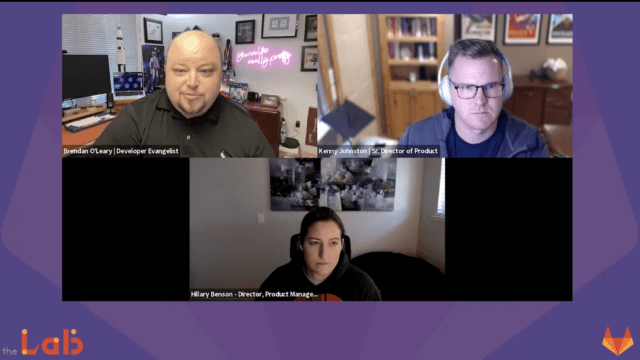
The Lab with Brendan O’Leary EP 16
Senior developer evangelist Brendan O’Leary tells us about this month’s milestone GitLab release.
Transcript
Hello friends and welcome to the lab a monthly show where we look at the latest and greatest developments in software development devops on the cloud. I'm your host Brendan O'Leary coming today from a pretty warm and getting warmer Annapolis Maryland on the east coast of the United States For those who may not know me on the developer evangelists at gitlab, which means that I get to talk to all a lot of amazing folks throughout the industry and the software engineering space about what it means to really get code shipped to production. 2 as you know, if you're a long time view of the lab, we spend most of our time focused on you know, the latest gitlab release which comes out every month on the 22nd of the month.
2 this month is no different. It's our second iteration of version 15, right and we're talking about version 15 as this way to bring additional exciting devops capabilities into get Labs one devops platform. So today I'm excited to chat about some of the updates that I found to be the most interesting including Life preview diagrams and a wiz editor new timelines for instance the addition of group subgroup scan execution policies and a new change failure rate chart where we can visualize the stability of the software shopping and of course much more So let's dive right into it.
First let's talk about live preview diagrams in the wiki wysiwig editor. So gitlab flavored markdown, which is the markdown that you use when you're in, you know gitlab issues or the wiki and other places and get lab comments. It supports mermaid plant, uml and croaky diagramming but writing that any anything other than the most basic diagram in those formats can be kind of cumbersome without being able to see hey what's the live preview of what this diagram is gonna look at.
2 introduces the live rendered preview of your diagram right inside the Wiki's editor. So now as you write the diagram in the code block get lab detects the diagram type and displays it the preview of it. And so what does this enabled a live preview renders the above the code block and updates as you type so that you can ensure that, you know got formatting correct to plant your metal mermaid or whatever it is that your formatting it is and that the output is going to be exactly what you expect.
2 are the redesigned merger request reports word request reports are I was a very important part of code review and providing insight to the impact that changes are going to have and improvements to meet the standards for your project or the the compliance standards that you have as an organization and those reports are central part of you know, the merge request which we say is the central point where you're deciding, you know, are we going to accept this change and what are the changes impact gonna be and of course that's code, but it's also the application and and how it affects the security of the application as well. So now the report widgets all follow our design guy on guidelines for layout and hierarchy and content sections. So it's very consistent easy to scan and you know, very usable when you're reviewing the merger quest to see you know, what is the output of each report?
And hopefully these improvements will make it easier for you as a merger Quest reviewer reviewer. Or the development that made them hurt your class to find. No, what's the actual information they need to report that I can go and you know improve the security or improve the tests coverage or whatever.
What have you for this merge request? We also added the ability to enforce IP address restrictions over get over SSH. so limiting the access to requests from you know, a trusted set of your IPS is one way you can help improve security rights part of a security defense and depth effort.
and until now only the API and the UI the kind of https side of of gitlab supported those restrictions, but now you know and so for folks in those environments, they might say, okay, we're gonna just block SSH Jax can access completely But SSH now adheres to the same restrictions so that you can grant access only to requests coming from IP addresses in in your list of IP addresses have known known range. And then next is you know, one of my favorite topics where we talk about the door for a lot on the lab. And this is one of the door for is the change failure rate.
And so now this change failure rate chart is available for visualizing the stability or software over time. So this trend chart for the door change failure rate metric shows the percentage of deployments that cause an incident in production environment over time. And this is now the fourth door chart that's available and gitlab that provides insight into the value stream and velocity and reliability Trends the door for metrics, you know are often used and should be used more by devops teams to measure their maturity and performance and have something that they can actually take action against as a team.
There's also new group and subgroup scan execution policies. So your security and compliance teams can now apply a policy uniformly to all of the projects by scanning execution policies at the group and subgroup level. So this is helpful for larger organizations that have a large number of projects that maybe have different compliance requirements policies to fight for the group or subgroup will flow down into all those child projects automatically.
There's no need to Define it each project. And so to get started with this your group or owner can apply a security policy to your group in on the group page on security and compliance and policies page. We also have a new instant timeline feature within gitlab.
This is you know, what what happened during an incident is really important capturing it in the in real time is a very important practice that fertility facilitates learning for how you could maybe prevent it. But also how you can improve your instant response over time. Yeah, of course, you know asking someone that's in the middle of an incident with you know, their hair on fire to do a additional administrative tasks.
Or try to reconstruct the timeline events afterwards is you know leads to incomplete information or less than accurate information. And so the gitlab instant timeline is designed to make information capture during the incident or after the incident very easy and efficient. So this is an MVC right?
Remember, we released minimally viable changes, but it's possible to add new timeline events manually delete timeline events and view the instant timeline. And there's gonna be great things to come as we're able to iterate on this new feature. And then of course, there's a lot more great things in this release.
It includes, you know, setting your image pull policies directly in your pipeline configurations Improvement to the contribution calendars for your private contributions improving to compliance adherence, right so that you have several new audit events for compliance for group level merger Quest approvals, if two-factor authentication was disabled and then addition to you know, streaming more audit events for git operations project Forks merge request creation and you can also send custom HTTP headers to be created for those streaming events, which is useful for you know, the third party systems that are going to manage those events. And we also continue to enhance the developer experience with with lots of usability improvements, you know, the live preview diagrams as one the timelines one, you know, these things are focused on the developer experience and making devops teams more efficient and effective. com.
2 and what's planned for future upcoming releases? So thanks so much for joining today and humor. 2, you know, refer to the blog again for full details.
If you need more information about any of these things, you know, each one of these features has the link directly to the issue that our product and Engineering teams used to you know, idea and create and then do the work against these these improvements and also the documentation to learn more about how it came out. So anyway, thanks so much for for viewing a watching today. You can find me on the internet most places at O'Leary crew.
Ole Ary crew Twitter's where I spend most of my time. So that's probably the best place to get in touch. And if you have an idea for a future episode or want to discuss anything from today's episode.
I'd love to hear from you there. Again, the lab is produced monthly. So thanks again for joining us and I'll see you next month in the lab.
Stay safe.